
Buffalo County VINELink Coverage
The sheriff's office keeps a Buffalo County VINE page. It points victims and anyone else toward Wisconsin VINE. Searching works online or by phone. The statewide number listed there is 888-944-8463. According to the Department of Corrections, VINE is a county-jail program. It runs with local law enforcement. Looking someone up takes no account. Register only when you want notice of a custody change. Phone and email alerts come in English, Spanish, and Hmong. Field labels can shift on the live screen. Trust what it shows over any older copied form.
The VINELink entry screen is the official starting point:

Select Wisconsin and the county-jail search before entering identity details.
Check a Buffalo County Arrest
Type in enough detail to separate people who share a name. Depending on the live interface, VINELink may take a name or a numeric identifier. A no-match is not final proof of anything; it does not rule out an arrest or an earlier release.
- Open VINELink and select Wisconsin.
- Choose the statewide county-jail custody search shown by the current interface.
- Enter the person’s name and any available ID or date detail.
- Compare each possible match with the known county, facility, and identity facts.
- Open the matching custody record, then decide whether to register for alerts.
Never guess when several people match. Weigh the middle name, age, and arresting agency. When nothing appears after a very recent Buffalo County arrest, call the Jail at 608-685-4433. Booking delays happen. So do quick releases, other housing, or transfer to another jurisdiction.
The state's VINE page explains searching and notification:
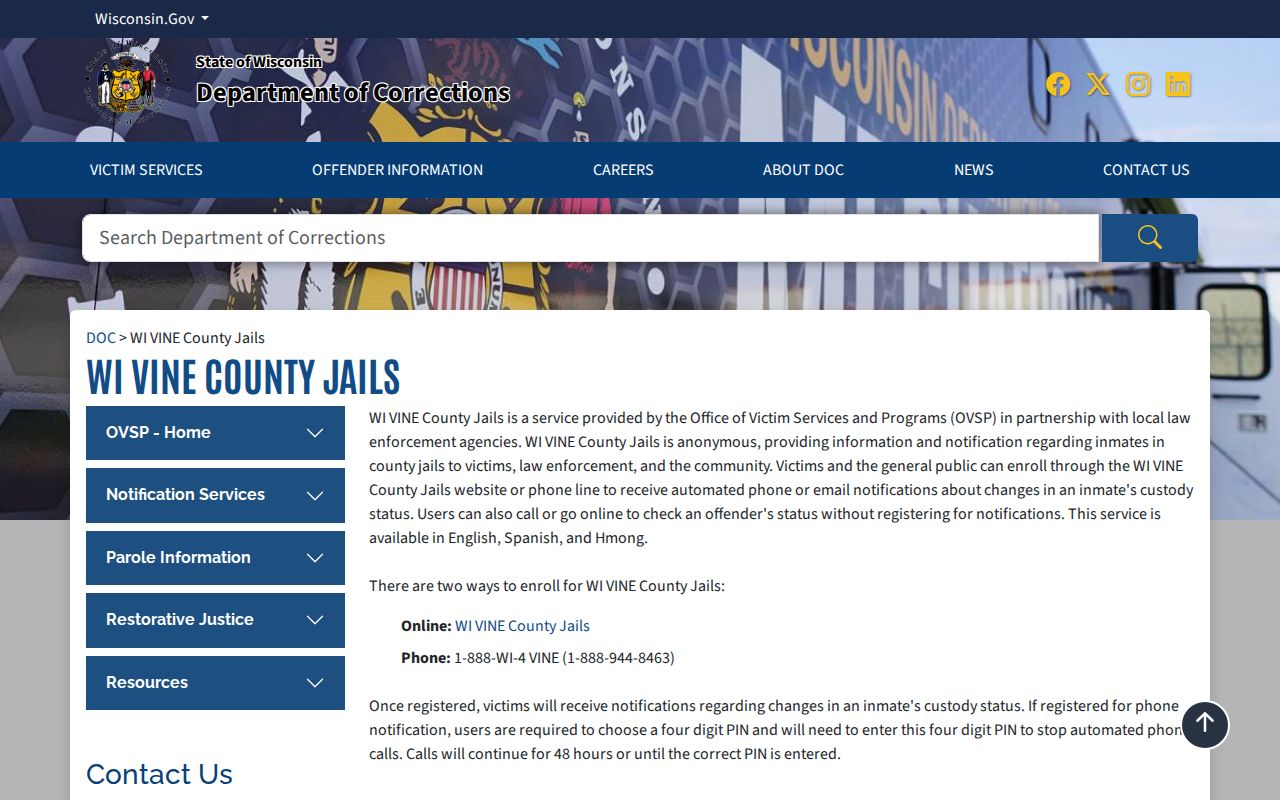
Note: The state VINE page is the best source for current languages, alert methods, and PIN rules.
VINELink Buffalo County Result Fields
VINELink reports status, not a full arrest history. The exact fields vary with the live record. Most results give the person's identity, a custody status, the facility or agency, and an offender or case number. The record is also what powers alerts when status changes.
| Result element | How to use it |
|---|---|
| Name | Compare with more than one identity fact |
| Custody status | A current system status, subject to update lag |
| Facility or agency | Shows which participating custodian supplied data |
| ID or case reference | Useful for distinguishing similar names |
| Notification option | Starts alert registration after a match |
Expect no booking photo here. There is no incident narrative, no bond schedule, and no full charge list either. Ask the Sheriff for the booking record, and turn to WCCA for the court case.
Register Buffalo County Custody Alerts
You enroll for alerts on a specific custody record. Phone and email choices depend on the current interface. Wisconsin describes telephone registration with a four-digit PIN, and calls can keep coming for 48 hours until that PIN is entered. Guard the number but keep it handy.
- Select the verified custody record rather than enrolling from an uncertain name match.
- Choose an offered phone or email notification method.
- Enter the requested contact information and complete confirmation steps.
- Create and save the four-digit PIN when using telephone notice.
- Follow the live instructions to change or stop an alert.
An alert is a prompt to check, never a safety guarantee. Custody status can shift within minutes. Call 911 for immediate danger. No automated notification counts as an emergency plan.
The Wisconsin registration interface shows the alert workflow:
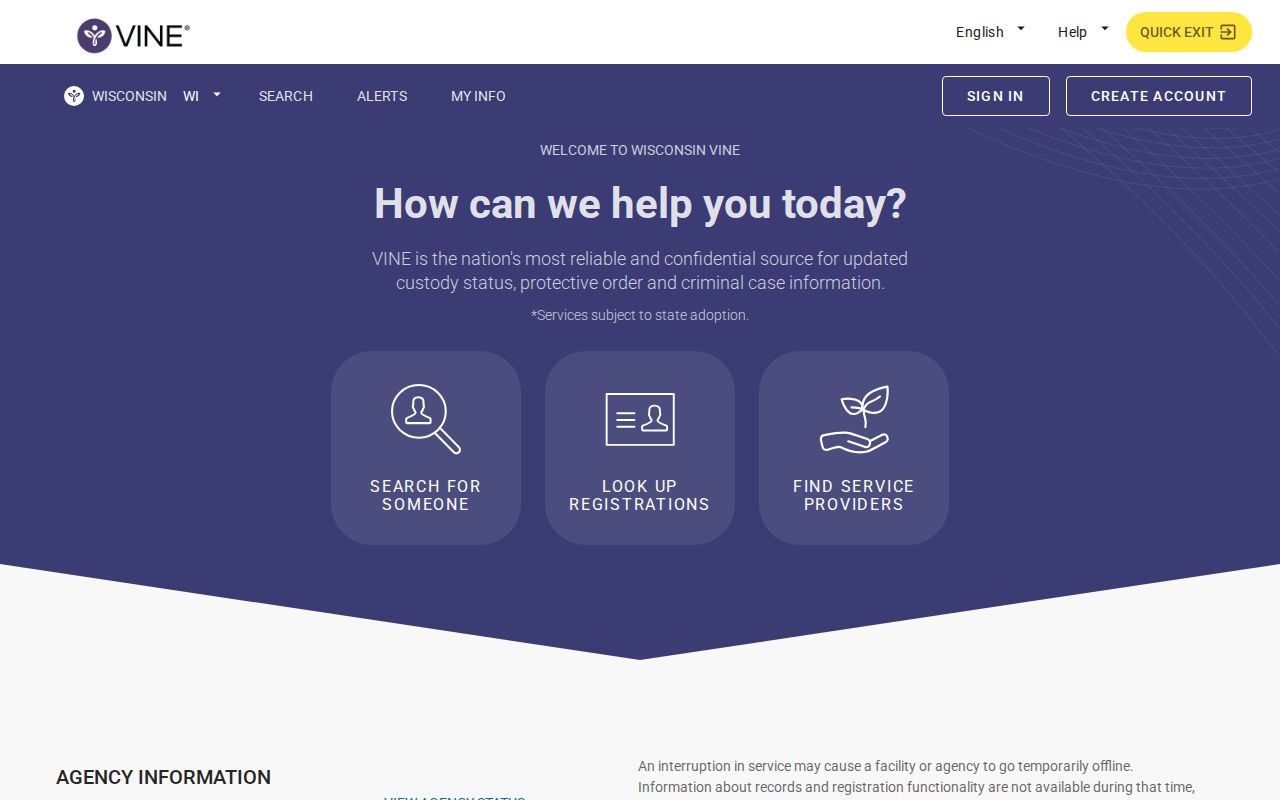
The image represents the service interface, not a public list of arrested people.
Buffalo County Protective-Order VINE
A second VINE track exists for protective orders, documented in the county's victim resource book. It stands apart from ordinary jail custody searching. The steps call for the Protective Order tab, a 12-digit CCAP case number, and Buffalo as the issuing county. You also need the respondent's first and last name. That path uses 1-855-948-7648. Notifications can cover service of a temporary restraining order or law-enforcement firearm collection.
Read the fine print, though. Service by a private process server or another third party does not trigger the same notice. A silent phone cannot be read one way without knowing who served the papers.
The Buffalo County victim resource book lays out the protective-order path:
Use those county instructions for protective-order events rather than the ordinary jail-search assumptions.
VINELink Limits in Buffalo County
VINE does not reach every custody setting. Wisconsin county-jail VINE, WI DOC NOTIS, the Federal Bureau of Prisons locator, and the ICE detainee locator are separate tools. None of the others substitutes for VINE, and VINE itself proves nothing about state prison, federal incarceration, immigration detention, or a final court outcome.
| System | Custody slice |
|---|---|
| Wisconsin VINE | Participating county-jail custody |
| WI DOC Client Search | State custody or supervision |
| DOC NOTIS | State corrections notifications |
| BOP locator | Federal sentenced custody |
| ICE locator | Immigration detention within locator scope |
| WCCA | Court case information, not custody |
Buffalo County offers no separate SAVIN brand or inmate-search app. The sheriff's emergency alerts carry only general public-safety messages. CIDNET, Stellar, and JailATM handle jail communication and inmate funds, and none of them replaces VINELink.
Fresh bookings can lag in any system, so confirm uncertain results through the Daily Arrest Report process or by calling the Jail directly.
Confirm the Record After VINE
Custody confirmed? Move to the source that fits your question. Need a booking sheet, an incident report, release details, or a requested booking photo? The Sheriff's NextRequest portal is the right stop. Include the person's name, the agency involved, and an approximate date. Add a case number if you have one. Just know the county promises no photo release and no fixed response deadline.
For docket-level details, turn to WCCA. The Buffalo County Clerk of Courts handles documents that never made it online. The person may shift into state custody or supervision. Then the Wisconsin DOC search takes over from there. Federal and immigration locators work by their own rules. The county-wide distinctions and records-request details sit on the Buffalo County recent arrests home page.
Stick to the free official channels from the county and state. Be wary of copycat pages that resell custody data, charge for alerts, or pass off an old booking image as current. Nothing official stands behind that last trick.
Using Buffalo County VINE Safely
Save the official number and web address before a stressful moment arrives. Check that any message names the right record without asking for your PIN. If a call demands payment, passwords, or odd personal details, walk away. Then return to the official county or state page.
Technology fails. Alerts can lag behind real events. Where genuine risk exists, build a safety plan with law enforcement or victim services. VINE raises awareness; it is no emergency guarantee. For immediate danger, call 911.
Write down the search time, the identity fields you entered, and the agency shown. Those notes clear up mismatches fast. They also keep custody status from being confused with a court result.
Buffalo County VINE Follow-Up
Each VINE notification follows the custody record and contact method you picked. Read the live confirmation screen closely. Guard that four-digit telephone PIN.
When an alert fires, verify the new status directly with the listed facility or agency. A release notice says nothing about bond terms, upcoming court dates, or supervision. WCCA and the Clerk map the case path. The Sheriff keeps the county booking records.
End or update alerts through the official service once you no longer need them. And keep identifying custody notices off public posts.
Search Public Records
Sponsored Results